Docs
Card Codes Extractor
Card Codes Extractor
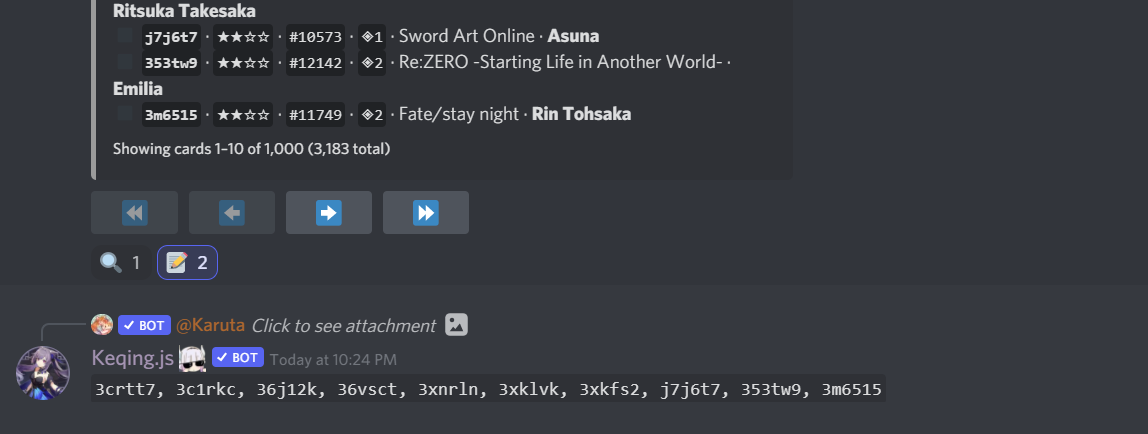
Copy all the codes in your collection.
Usage
- 1
Execute the `k!collection` or `kc` command.
Additionally, @Keqing can extract codes from
k!view,k!inventory, andatracecommands. - 2
Apply the 📝 reaction.
For non-premium servers, the 📝 (
:pencil:) reaction must be added manually. - 3
Navigate to the next page.
Keqing supports pagination, automatically adding codes up to a maximum of 50.
Code Filtering
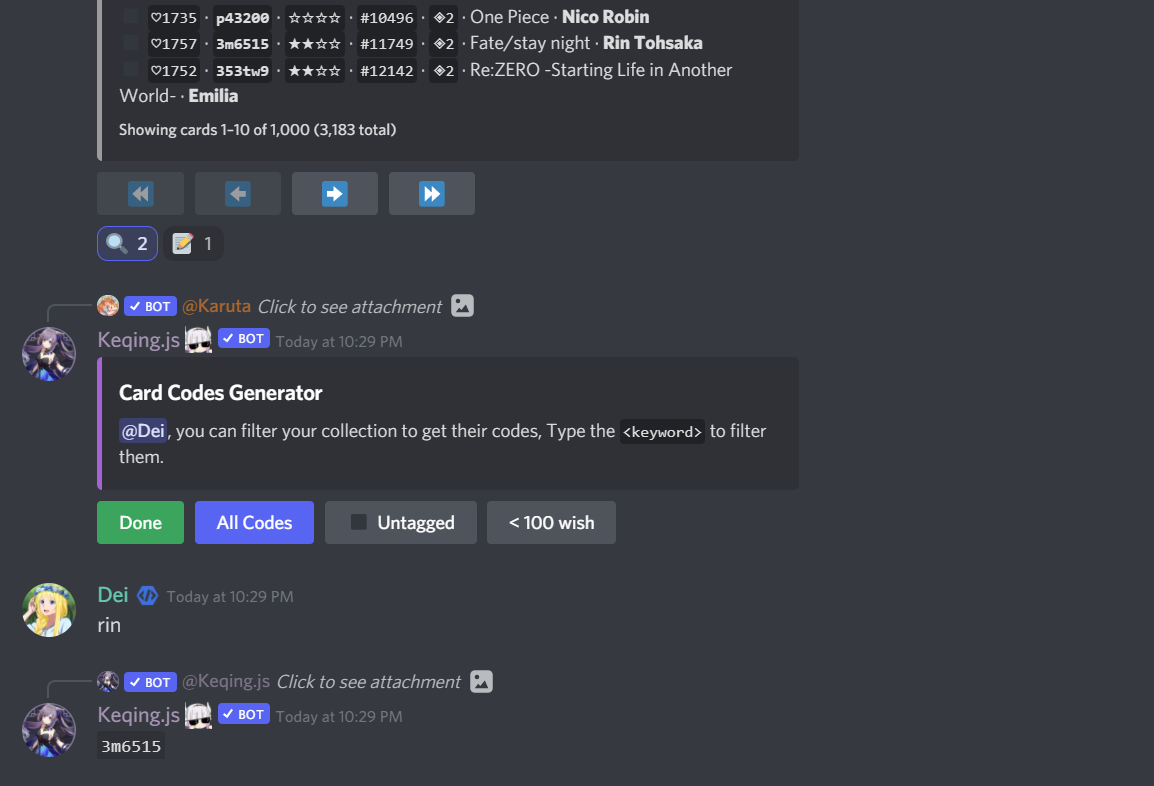
Choose the codes to be extracted from your collection.
How to use
- 1
Initiate the Collection Process
Execute the
k!collectioncommand to begin. - 2
Activate Filtering
- Apply the 🔍 reaction to enable filtering.
- For non-premium servers, the 🔍 (
:mag:) reaction must be added manually.
- 3
Specify Filter Criteria
Enter the character name or series to filter the codes.
- 4
Finalize Selection
Click the green button when you are done.
- 5
Filtering Options
Filtering Capabilities
You can filter codes for copying, retrieve all codes, all untagged codes, or codes for under 100 wish cards (per page).