Docs
Next Edition Preview
Next Edition Preview
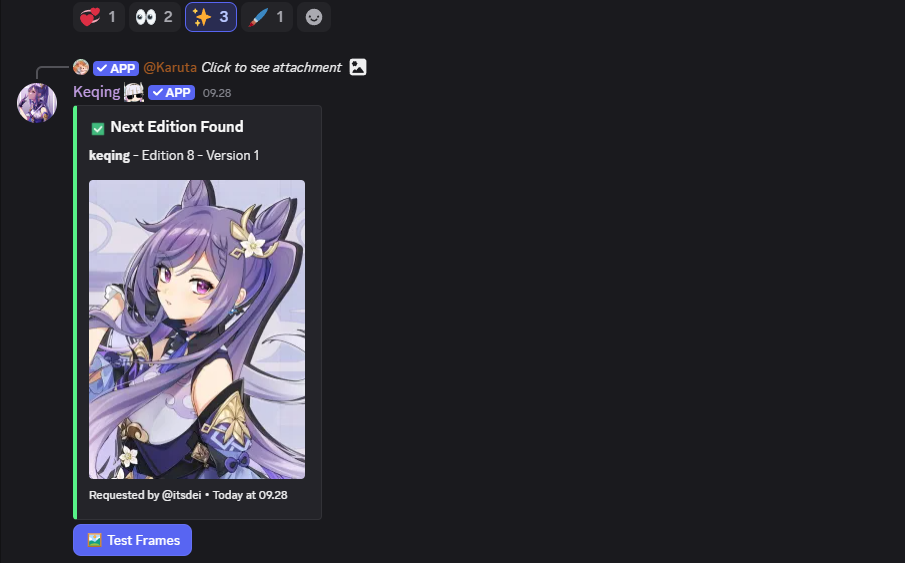
Discover the next edition of your character cards
What it does
The Next Edition Preview feature automatically searches for the next edition of any character card when you use character lookup. It detects both regular and versioned cards, checking multiple URL patterns to find available next editions.
How to trigger
Simply react with the ✨ emoji on any Character Lookup embed to search for the next edition of that character.
Features
Smart Edition Detection
- Parses regular cards:
character-name-edition.jpg - Handles versioned cards:
character-name-edition-version.jpg - Automatically increments edition number for search
Multiple Version Support
- For versioned cards, checks versions 1-10 of the next edition
- Shows navigation buttons if multiple versions exist
- Displays page indicators (e.g., "Page 1 of 3")
Fallback Search
- If versioned search fails, tries regular format
- If regular search fails, tries versioned format
- Shows all attempted URLs when no results found
Premium Frame Testing
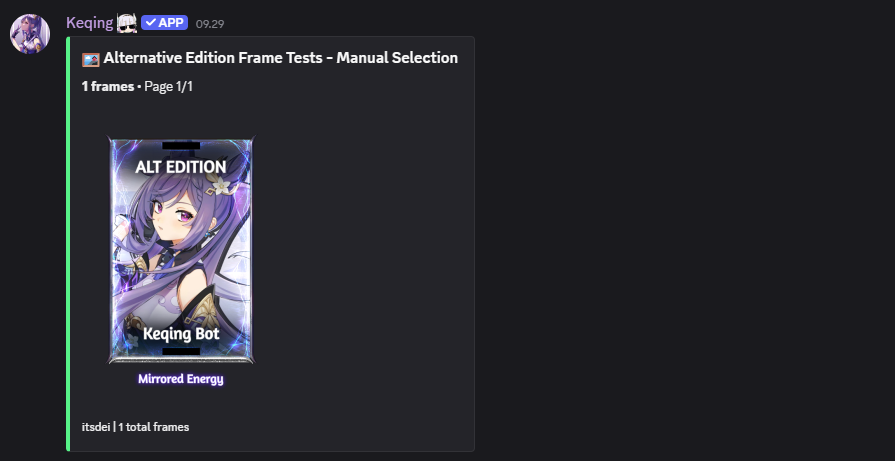
Premium servers get an additional 🖼️ Test Frames button that allows:
Frame Category Selection
Choose from predefined categories:
- Bits Frames - Standard bits frames
- Carousel Frames - Daily carousel frames
- Special Frames - Special event frames
- Event Frames - Seasonal event frames
- Monthly Frames - Monthly special frames
- Ranked Frames - Dojo ranking frames
Manual Frame Input
Type frame names directly (comma-separated):
brass, mirrored energy, cherry blossom
Frame Test Display
- Shows up to 10 frames per page in a dynamic grid
- Automatic pagination for large frame sets
- Frames rendered with "ALT EDITION" text overlay
- Navigation buttons for multi-page results
Frame Limits
Manual input is limited to 10 frames maximum. The system automatically finds matching frames from the database using fuzzy matching.