Docs
Sketch Gallery ⭐
Sketch Gallery ⭐
Community's Sketch Gallery
Important Note
This feature is available for premium servers only
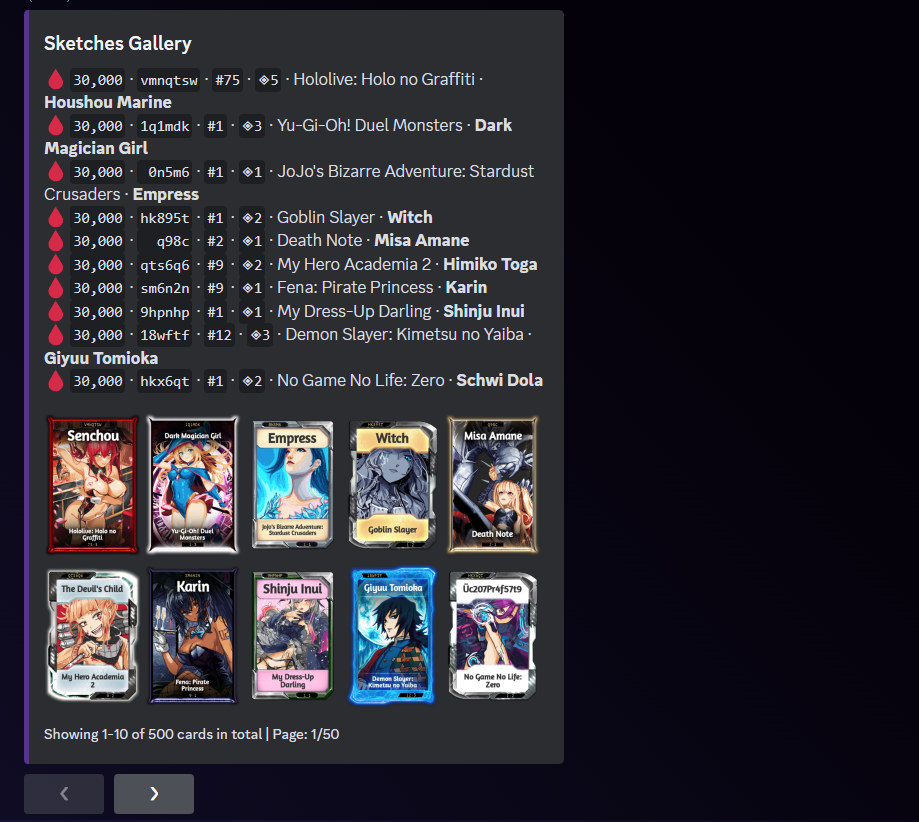
Access Methods
You can access the sketch gallery through two methods:
Web Gallery
Visit the Sketch Gallery at keqingbot.com/sketch for a comprehensive, interactive browsing experience. The web gallery offers:
- Advanced search and filtering options
- High-quality image viewing
- Character and series browsing
- Community sketches showcase
- Mobile-friendly interface
Discord Command
Use the asketch command directly in Discord for quick lookups while chatting.
How to use
Discord Command Usage
The asketch feature will display any known sketches of a specific character or series, sorted by the amount of ink used in the sketch. To activate, simply use this command:
Command
Command: asketch [filter]
Available filters:
- c: characterName
- s: seriesName
- o: ownerId
- sk: sketcherId
Example:
asketch c:keqing s:genshin impact
Web Gallery Usage
- Visit keqingbot.com/sketch
- Use the search bar to find specific characters or series
- Apply filters to narrow down results
- Click on any sketch to view details and high-resolution images
- Browse by categories or explore trending sketches
Enhanced Experience
The web gallery provides a more comprehensive viewing experience with better image quality, advanced filtering, and easier navigation compared to the Discord command.