Multiframe Tester
Browse frames, match your character's colours, and take a closer look before buying.
Type agetframes carouselPremium
Loading Multiframe Tester
Browse frames, match your character's colours, and take a closer look before buying.
Type agetframes carouselPremium
Browse frames, match your character's colours, and take a closer look before buying.
Type agetframes carouselPremium
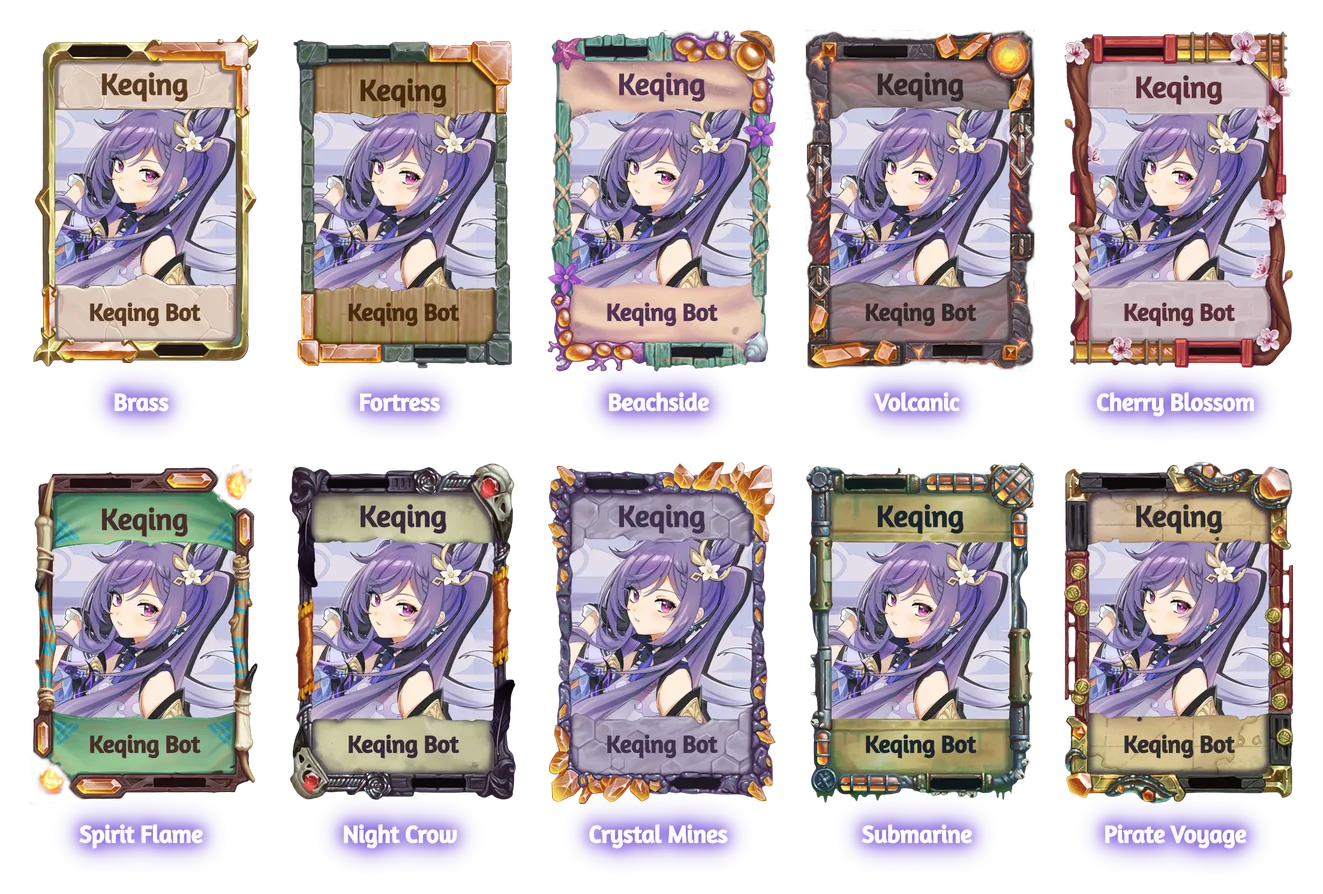
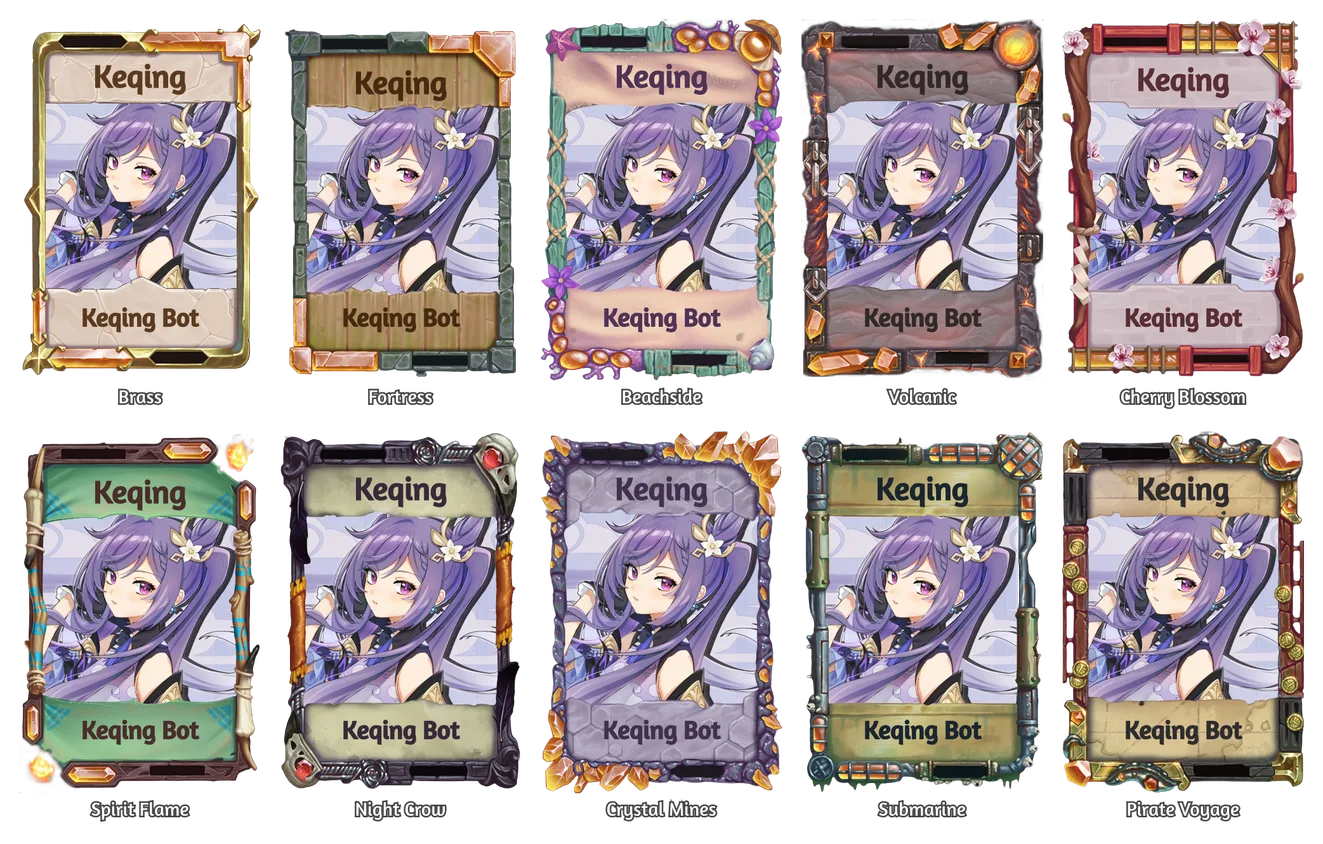
See ten frames on a card side by side, each named underneath. agetframes browses a selection on a Karuta character; atestframes also accepts custom images and links. Both commands require a premium server.
To compare named frames directly from 🖌️, the premium Frame Tester also accepts up to ten names, with Dye all for eligible frames.
Real Keqing renders · sample times. Try page jumping, a closer look or Show all. Dye availability is demonstrated in the Frame Tester guide.
Run a Karuta klu, then use agetframes with a selection. Without a reply, Keqing uses your newest Karuta Character Lookup in the last 30 messages in this channel, up to 24 hours old. Reply to a lookup to choose one explicitly. Each card is lettered with the character's name.
agetframes carousel
agetframes bits 2
agetframes copper
agetframes solisfair 2025
agetframes special framebox 2024
agetframes special event
agetframes carousel transparent
agetframes brass, budokai
agetframes special match
agetframes match
agetframes bits all
agetframes last 2bits carousel special event monthly ranked, ten frames per pagetransparent: frames with a see-through areacopper: every frame crafted from that bitspecial event or copper zinc. Adding transparent keeps only the see-through frames in that selectionsolisfair 2025 or special framebox 2024. Add a page number after the source to start laterKaruta 2024, are kept as namesShort forms work for categories: b, c, s, e, m, r and t. agetframe, agetf, amultiframes, amultif and amultiframe are the same command.
The title names the selection and character, such as Bits frames · Keqing. Frame names also appear as copyable text above the picture. The footer shows the page and the total number of selected frames. A short final page uses a smaller canvas instead of leaving a full grid of empty slots.
Only the person who ran the command can use its controls. They expire after one idle minute, refreshed by that person's interactions, and support up to 20 page changes. At the page-change limit, the final reply tells you how to continue with agetframes last <page>. A cached page can be reused for ten minutes.
Add match to put frames with palettes closest to the character art first:
agetframes special match
agetframes copper match
agetframes match
With a category or material, it ranks that selection. With match alone, it picks the 20 closest frames from the catalogue, across two pages. This is based on the art's colours, not wishlist counts or which frames you own.
agetframes bits all posts every page from your starting page onward. Show all does the same for pages after your current one. Each page is a separate channel message, not one giant image.
If more than five pages would be posted, Keqing asks first. For an all command, Page through instead keeps normal paging; on Show all, Cancel leaves the page controls available. You have one minute to answer. Only one all run per person can post at a time.
agetframes last repeats your previous selection and options, using the lookup you now reply to or your latest lookup in this channel. Add a page number, all or match, such as agetframes last 2 or agetframes last match. You cannot put a new category beside last; leave last out to choose different frames.
The request can be remembered for 30 days through the shared cache. Nothing to repeat means no previous request is available. This memory is separate from the 🖌️ tester's Same as last time button.
Frames anything: a Karuta lookup, an image or a link. atestframe and atf are short for it.
Real Keqing renders · sample times. This sample switches between Bits and Darkness; Discord offers the full category menu.
atestframes bits
atestframes copper 2
atestframes darkness
atestframes brass, budokai #FF0000 blend:multiply
It takes individual categories such as bits, carousel, special, event, monthly, ranked, darkness and transparent, a bit with a page number, or up to ten frame names. Combined categories, source/year filters, match, all and last belong to agetframes, not this command. Named frames accept partial names and category prefixes such as bits-brass; repeated matches appear once. Names can contain digits, like Karuta 2024.
The image comes from, in order:
Anything that isn't a Karuta lookup is lettered TEST. On a category or material selection, a menu switches to another category and ◀ Previous / Next ▶ page through it. Named selections have no category switcher. Each change is posted as a new message, and only the newest one keeps its controls. They close after one idle minute, refreshed by the caller's interactions. Unlike agetframes, a page past the end is refused with Page out of range.
A name that matches no frame is listed under Not found, and the rest still render.
With atestframes, add a hex colour to morph every frame at once, and optionally how it blends.
#FF0000 or #F00. Default: noneblend:hue, blend:multiply, blend:color, blend:darken, blend:lighten or blend:color-burn. Default: coloratestframes refuses a non-default blend without a colour; blend:color alone is accepted. To try blends on a single frame, use the Morph Tester.
agetframes): no selection was given; try agetframes bitsklu again or reply to a readable Karuta Character Lookupagetframes): nothing matched. Pick a Did you mean suggestion when offered; it retries with your other options kept. Partially matched requests still render the valid frames and name the missing onesgetframes request is available; run a new selection firstatestframes found no lookup, image or link to useatestframes categoryatestframes selectionatestframes category has fewer pages than requestedPreviews from these two commands are not counted toward a card's Most Tested Frames.
Both commands follow the Frame Testers restriction, together with every other frame tool. Choose the channels under Frame Testers on the Feature restrictions page of the dashboard, then Save changes.